CACHE
You are here
Virtual Laboratories on LearnChemE
Department of Chemical and Biological Engineering
University of Colorado
Boulder, Colorado
The LearnChemE website has extensive browser-based resources for teaching and learning chemical engineering. Three types of resources are available:
- 350 interactive simulations, each of which focus on a single topic or concept
- 33 digital experiments that allow students to take and analyze data. Digital experiments are designed to be used in class or as assignments and most experiments can be completed in less than an hour.
- 3 virtual laboratories, which are more extensive and are intended to be mimics of physical laboratories that might be completed in a 3 or 4-hour period.
The 3 virtual laboratories available at https://learncheme.com/virtual-laboratories/ are:
- Virtual catalytic reactor laboratory (kinetics/reactor design)
- Control of a single-stage distillation virtual laboratory (control)
- Vapor-liquid equilibrium virtual laboratory (thermodynamics/separations)
Virtual laboratories have some potential advantages over physical laboratories because virtual laboratories are:
- available at any time and from anywhere
- not time limited, students can analyze initial results and then plan additional experiments that can be run over multiple days.
- able to run experiments that may be too time-consuming to be run in a physical laboratory. For example, things that take a few seconds in a virtual laboratory (furnace reaching a desired temperature, a reactor reaching steady state, a gas chromatograph (GC) analysis) take many minutes in a physical laboratory. Students can repeat an experiment more easily.
- cheaper to purchase and maintain, and they almost always work
- makes phenomena more visible
- safe, different conditions can be tried without damaging equipment or injuring students.
The Virtual Catalytic Reactor Laboratory (VCRL) will be described in detail to show what a virtual laboratory is like. The VCRL allows students to plan experiments, collect and analyze data, and write laboratory reports. Each student or student group are assigned different values for the parameters that they obtain by collecting data. Students have a limited amount of virtual cash to run experiments and each experimental run uses some of those funds. Students, as individuals or part of a group, can access the VCRL over multiple days without losing their data. This laboratory has extensive written documentation plus screencasts. The instructor has access to all their students' data, including their assigned rate expression constants, and their answer submissions.
Figure 1 shows the VCRL interface.
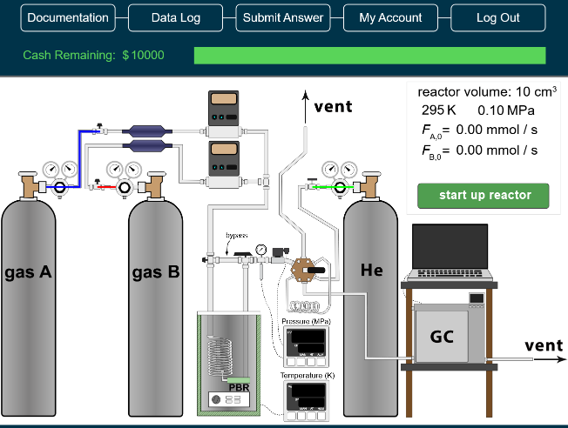
The objective of this laboratory experiment is to measure conversion of the catalytic reaction

and determine the constants  and
and  in the rate expression:

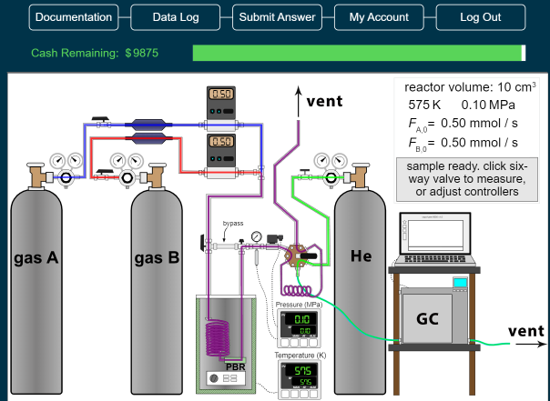
The virtual catalytic laboratory reactor contains documentation that includes learning objectives, an introduction, assumptions, safety issues in a physical laboratory, an explanation on how to acquire data, a video of a physical catalytic reactor, a series of videos on how to analyze kinetic data, a way for students to submit answers to their instructors, and post-lab questions. When the experiment has started up, gas flows in the lines are shown in color to make it easier for students to visualize the process, as shown in Figure 2. The cash remaining in Figure 2 is less than the $10,000 that students started with because they are charged for starting up the reactor.
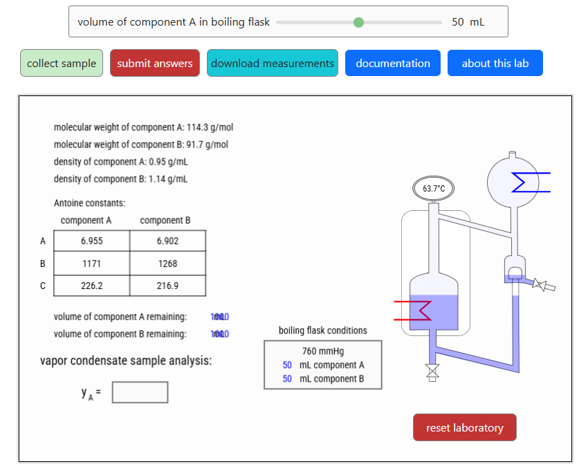
The vapor-liquid equilibrium virtual laboratory (Figure 3) measures the vapor composition in equilibrium with a liquid composition for a binary mixture. Students select the starting composition and collect samples to determine liquid and vapor compositions. The virtual laboratory stores data in a spreadsheet. The objective is to fit the data to the two-parameter Margules equation using nonlinear regression. Students submit the values of the Margules parameters, their 95% confidence intervals, and their names. They can then view the answers page, which displays their answers and the correct values of the Margules parameters on a water-marked page. A screenshot of this page can be submitted to an instructor as part of a laboratory report or an assignment.
When first opening the laboratory or when selecting the "reset laboratory" button, the laboratory creates new, randomized Margules parameters and liquid properties. To allow students to have extended time for measurements and analysis, the virtual laboratory stores student data, the component properties, and the correct Margules parameters in their web browser. Thus, if they close the web page and come back, they can access their stored data and continue to make measurements. A video that demonstrates how to use this virtual laboratory is available in the laboratory.
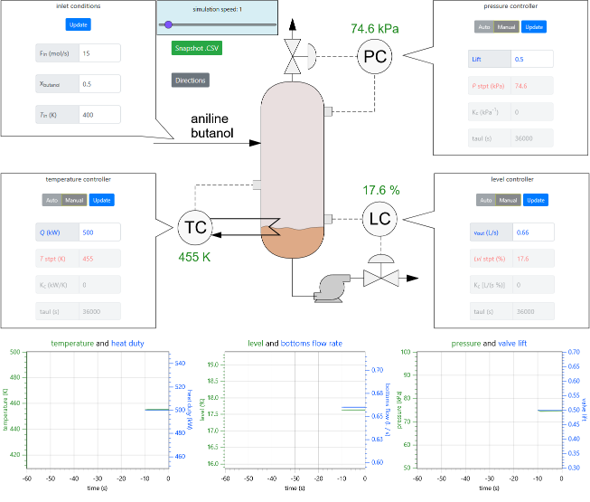
The Control of a Single-Stage Distillation Column Virtual Laboratory (Figure 4) is designed for a control course laboratory. The laboratory has two parts: process modeling and control tuning. It has a series of screencast instructions that describe how to use it. It can be used as a laboratory or course project.


Theme by Danetsoft and Danang Probo Sayekti inspired by Maksimer